
Meet the robots
This repository (unitree_rl_gym) supports four robots made by Unitree Robotics: one four-legged robot and three humanoids. Every joint you see below is a DOF (Degree of Freedom) — one motor, one axis it can rotate around.
hip / thigh / calf ×4 legs
hip / knee / ankle per leg
Go2 is a quadruped ("robot dog"): 4 legs × 3 joints = 12 DOF, all driven by the walking policy. The humanoids are biped robots with a torso, arms, and legs — but legged_gym only trains the legs to walk (H1: 10 leg joints, G1/H1-2: 12 leg joints), even though the full robot has many more DOF (a full G1 URDF variant has up to 29, including arms, waist, and hands).
The motors
Why don't these joints use the stiff, high-ratio gear motors you'd find in a factory robot arm?
Unitree's actuators (like most modern legged robots) are quasi-direct-drive units: an electric motor with a small gear reduction, sitting right at the joint. Because the reduction is small, the joint stays back-drivable — if the foot hits the ground unexpectedly hard, the leg can absorb it by yielding slightly, the way your knee flexes on a curb you didn't see, rather than transmitting the full shock straight through a rigid gearbox.
One tick of a robot's life
Before anything else, here is the loop that runs, over and over, whether the robot is in a simulator or standing in a lab. Every section from here on is really just zooming into one box of this diagram.
IMU + joint encoders → Observation → Policy
the "brain" → Target joint angles → PD controller → Torques → Physics / motors ↺
The two arrows aren't the same speed. The policy "thinks" relatively slowly — about 50 times a second (every 0.02s). The PD controller reacts much faster — every 0.005s in this repo's simulator. The ratio between them (4, here) is called decimation: the brain gives a target once, and the fast, dumb, reliable PD loop chases that target several times before the brain speaks again.
PD control: the stubborn assistant
The policy never says "push with 12 newton-metres." It says something much simpler: "knee, please be at 40°." Turning that wish into an actual motor torque is the PD controller's entire job — and it's dumb on purpose, which is what makes it trustworthy.
Proportional-Derivative control, in one line:
- Kp (stiffness) is a pull strength: the farther the joint is from its target, the harder it pulls back — like a spring.
- Kd (damping) is a brake: it resists whatever speed the joint already has — like a shock absorber — so the spring doesn't overshoot and oscillate forever.
This is a single free-swinging joint, not a real leg — it's here so you can see what "too soft" and "oscillating" actually look like before reading the numbers below.
The real code — sim and MuJoCo, side by side
Here is the exact same law, twice: once as it runs inside Isaac Gym during training (tensors, thousands of robots at once), and once as it runs in the MuJoCo sim2sim script (plain NumPy, one robot).
_compute_torques() legged_gym/envs/base/legged_robot.py
actions_scaled = actions * self.cfg.control.action_scale
control_type = self.cfg.control.control_type
if control_type=="P":
    torques = self.p_gains*(actions_scaled + self.default_dof_pos - self.dof_pos) \
              - self.d_gains*self.dof_vel
...
return torch.clip(torques, -self.torque_limits, self.torque_limits)
pd_control() deploy/deploy_mujoco/deploy_mujoco.py
def pd_control(target_q, q, kp, target_dq, dq, kd):
    """Calculates torques from position commands"""
    return (target_q - q) * kp + (target_dq - dq) * kd
Note the extra ingredient: action_scale and default_dof_pos. The policy doesn't output a raw joint angle — it outputs a small correction, which gets scaled down (action_scale = 0.25 for Go2 and G1) and added to a hand-picked resting pose (default_dof_pos). This keeps the policy's job "small nudges around a sane standing pose" rather than "invent a pose from nothing," which is much easier to learn.
Go2's resting pose & PD gains legged_gym/envs/go2/go2_config.py
default_joint_angles = {  # target angle [rad] when action = 0.0
    'FL_hip_joint': 0.1,   'FR_hip_joint': -0.1,
    'RL_hip_joint': 0.1,   'RR_hip_joint': -0.1,
    'FL_thigh_joint': 0.8, 'FR_thigh_joint': 0.8,
    'RL_thigh_joint': 1.0, 'RR_thigh_joint': 1.0,
    'FL_calf_joint': -1.5, 'FR_calf_joint': -1.5,
    'RL_calf_joint': -1.5, 'RR_calf_joint': -1.5,
}
control_type = 'P'
stiffness = {'joint': 20.}   # Kp, N·m/rad — same gain for every joint
damping   = {'joint': 0.5}   # Kd, N·m·s/rad
action_scale = 0.25
decimation = 4               # 4 PD steps per policy step
The torque limits in that clip() call aren't chosen by hand either — they're read straight out of the robot's URDF file, so the simulated robot can never be commanded to do something the real motors couldn't survive.
Learning to walk
Nobody hand-writes the walking motion. So where does it come from?
Think of it as a video game played by an athlete who starts out unable to stand, and only gets a score at the end of each attempt. The simulator is the game (you'll meet the whole cast of simulators this fork uses in §11) — physics, gravity, contact with the ground. The policy is the athlete's reflexes: a small neural network that reads the current situation (the observation) and outputs what to do next (the action — those target joint angles from §4).
- Observation — everything the robot can currently sense: orientation, joint angles & speeds, the velocity command it's been asked to follow, and what it did last tick.
- Action — one number per joint: a small offset from the resting pose (fed into the PD controller from §4).
- Reward — a score computed every tick: mostly "did you track the requested walking speed," with penalties for wasting torque, jerky motion, or falling.
Training runs this loop 4096 robots at once, in parallel, for millions of ticks, and gradually adjusts the network so that higher-reward behavior becomes more likely. The algorithm that does the adjusting is called PPO (Proximal Policy Optimization) — the one detail worth knowing is proximal: it always takes small, careful steps, so one unlucky batch of falls can't undo everything learned so far.
Not just weights — a policy with a memory
The network trained for G1 isn't a plain feedforward MLP (Multi-Layer Perceptron — a stack of plain fully-connected layers with no memory of earlier ticks). It's a small LSTM (Long Short-Term Memory — a recurrent network that carries a running "memory" from one tick to the next) with 64 hidden units, followed by one small MLP layer (32 units) that turns that memory into the final action. The LSTM earns its keep because walking is a sequential problem — "am I mid-swing or mid-stance" isn't always recoverable from a single instantaneous snapshot of joint angles alone; a short memory of the last few ticks helps the policy disambiguate what a static observation can't.
47 numbers this tick ↓ LSTM
64-unit memory, carried tick-to-tick ↓ MLP
1 layer, 32 units ↓ Action
12 numbers — one per leg joint
50 numbers (the 3 extra: see below) ↓ LSTM
64-unit memory ↓ MLP
1 layer, 32 units ↓ Value estimate
1 number, thrown away after training
The same network, as nodes and connections
The chip diagram above shows the network as a pipeline. Here's the same actor drawn as an actual graph: one circle per neuron, one line per connection (dense layers are sampled — a handful of neurons per layer stand in for hundreds, with a dotted gap marking the rest). Two sibling families sit next to it for contrast: g1_target, which reuses this exact shape, and Go2, the quadruped, which has no memory block at all.
g1 ends its observation with a gait-clock (sin_phase, cos_phase), while g1_target uses those same 2 slots for pitch_target, roll_target instead — it never walks (heading_command=False), so there's no gait to clock. A redesign of g1_target is planned (see docs/rugiar_target_families_handoff.md) to add a generic point-object target on top of the existing observation instead of swapping slots for it — this diagram reflects the code as it stands today.Go2 has no
rnn_type/policy_class_name override in go2_config.py, so it falls back to rsl_rl's plain MLP — not a missing feature, a design call: 4 ground contacts are stable instant-to-instant in a way a biped mid-stride isn't.| Family (registry name) | Obs → Actions | Hidden dims | RNN | Origin |
|---|---|---|---|---|
| g1 | 47 → 12 | [32] | LSTM 64 | stock (unitree_rl_gym) |
| g1_target | 47 → 12 (2 slots repurposed) | [32] | LSTM 64 | GIAR-added, redesign pending |
| go2 | 45 → 12 | [512,256,128] | none | stock (unitree_rl_gym) |
| Rugiar-G1-Mimic | 154 → ≈29 | [512,256,128] | none | GIAR-added — see §11 |
| k1, tron1, go2_ts… | varies | mostly [512,256,128] | usually none | stock (LeggedGym-Ex) — not in the live Family panel or this doc's narrative |
legged_gym (ETH) → unitree_rl_gym (Unitree) → LeggedGym-Ex (community fork, adds Genesis + many task variants) → this fork. Registered names are exact (legged_gym/envs/__init__.py) — nothing shares a name.Reading weights directly: the pixel fingerprint
A diagram like the one above shows shape, not what the network actually learned. For that, this fork also renders each layer's weight matrix as a strip of colored pixels — one strip per layer, values mapped to color instead of read one-by-one as numbers. Two color rules, chosen by the value's range: signed weights (roughly [-1,1]) get a two-color gradient that passes through ink at zero; values bounded to [0,1] (like an LSTM gate's sigmoid output) get grayscale instead. The example below uses G1's real layer shapes with synthetic values, just to show the encoding:
The live version of this — real weights, read from whichever policy is currently loaded, updating as you switch policies in the control web — is in the Policy Info Dock's Weight Fingerprint panel (see §12).
Policy architecture & PPO hyperparameters legged_gym/envs/g1/g1_config.py
class policy:
    rnn_type = 'lstm'
    rnn_hidden_size = 64
    rnn_num_layers = 1
    actor_hidden_dims = [32]      # one small layer after the LSTM
    critic_hidden_dims = [32]
    activation = 'elu'
    init_noise_std = 0.8          # initial exploration noise (std-dev)

class algorithm:                  # PPO, from rsl_rl
    clip_param = 0.2
    entropy_coef = 0.01
    num_learning_epochs = 5
    num_mini_batches = 4
    learning_rate = 1.e-3          # adaptive — adjusted by measured KL divergence
    gamma = 0.99                    # discount factor: how much future reward matters vs. immediate reward
    lam = 0.95                     # GAE lambda
    max_grad_norm = 1.0

class runner:
    num_steps_per_env = 24         # rollout length collected before each update
    max_iterations = 10000
One "rollout, then update" cycle: run 24 ticks across every parallel environment → estimate how much better each action was than the average action in that state, using GAE (Generalized Advantage Estimation — the gamma/lam pair above control it) → update the network for 5 epochs over 4 mini-batches of that same batch of experience → discard it and collect a fresh rollout. The clip_param line is literally what makes PPO proximal ("Proximal Policy Optimization," §5): it caps how far a single update is allowed to move the policy's behavior, measured via KL divergence (Kullback-Leibler divergence, a measure of how much the policy's behavior just shifted), so one batch of unlucky falls can't erase weeks of otherwise-good learning.
Where the randomness actually comes from
init_noise_std and entropy_coef look like they do the same job — both sound like "how much randomness." They don't. Only one of them injects the randomness that makes 4096 identical copies of the same network behave differently; the other one is a brake that keeps that randomness from disappearing too early.
Where the action actually comes from rsl_rl/modules/actor_critic.py
self.std: nn.Parameter = nn.Parameter(init_noise_std * torch.ones(num_actions))
...
def update_distribution(self, observations):
    mean = self.actor(observations)                    # ← comes from the network
    self.distribution = Normal(mean, mean*0. + self.std)  # ← self.std does NOT come from the network

def act(self, observations):
    self.update_distribution(observations)
    return self.distribution.sample()                    # ← the actual dice roll
The network doesn't output a joint angle directly. Every tick, it outputs the center (mean) of a bell curve — a Normal (Gaussian) distribution — and the action that actually gets executed is a number sampled from that bell, not the center itself. The two halves of that bell come from two completely different places:
- The center (
mean) is a real forward pass through the LSTM+MLP from earlier in this section, computed from the current observation. It's different for every one of the 4096 parallel robots because each one is in a different pose right now — but by itself, this step has no randomness in it at all. - The width (
self.std) — how wide that bell is, i.e. how much the sampled action is allowed to wander from the center — is not computed from the observation, and doesn't come from the network's forward pass either. It's a separate, free-standing learnable parameter (12 numbers, one per joint), starting atinit_noise_std = 0.8, shared identically by all 4096 environments at any given moment of training. It only changes when training updates it — usually shrinking over time, as the policy gets more confident and needs to explore less. - The dice roll (
.sample()) is where the actual randomness enters: PyTorch draws one random number from that bell curve, independently for every environment, every tick. That's the concrete mechanism behind "4096 robots, same weights, different outcomes" — alongside the domain randomization (different friction/mass/pushes per environment) already mentioned above.
entropy_coef actually do, then?self.std. PPO's real loss function is surrogate_loss + value_loss_coef × value_loss − entropy_coef × entropy (rsl_rl/algorithms/ppo.py) — entropy here just means "how wide is the current bell curve." Subtracting entropy_coef × entropy from something the optimizer is trying to minimize is a small, standing incentive to keep that width from collapsing to zero too quickly, so the policy doesn't prematurely decide "I always do exactly this" before it's actually explored enough to know that's a good idea. At 0.01, it's a gentle nudge, not the main exploration mechanism — init_noise_std is.
The coach who isn't there on game day
During training, a second network — the critic — watches every attempt with a clipboard of information the real robot could never sense directly (true forward velocity, exact ground friction). It only exists to help the athlete's reflexes (the actor) improve faster. Once training ends, the critic is thrown away — only the actor ships. This split is called actor-critic, and the critic's extra information is called privileged observations for exactly that reason.
The full pipeline
Four commands, four stages, each one's output feeding the next:
| Stage | Command | Produces |
|---|---|---|
| Train | python legged_gym/scripts/train.py --task=go2 | checkpoints in logs/<exp>/model_<iter>.pt |
| Play | python legged_gym/scripts/play.py --task=go2 | visual check + exported policy_1.pt (TorchScript) |
| Sim2Sim | python deploy/deploy_mujoco/deploy_mujoco.py g1.yaml | the exported policy walking in MuJoCo, no GPU needed |
| Sim2Real | python deploy/deploy_real/deploy_real.py {net_if} {config} | the same policy walking the physical robot |
The hinge between "Play" and everything after it is TorchScript export: the trained network gets frozen into one portable file, loadable with torch.jit.load(...) by the MuJoCo script, the real-robot Python script, and even a C++ program — none of which need Isaac Gym, rsl_rl, or a GPU installed.
Anatomy of a config: Go2
Every robot in this repo is defined almost entirely by one Python config file. Here's Go2's, in full, mapped back to what you've already learned:
GO2RoughCfg legged_gym/envs/go2/go2_config.py
class init_state(LeggedRobotCfg.init_state):
    pos = [0.0, 0.0, 0.42]
    default_joint_angles = { ... }     # → §4, the PD "home" pose

class control(LeggedRobotCfg.control):
    control_type = 'P'
    stiffness = {'joint': 20.}          # → §4, Kp
    damping   = {'joint': 0.5}          # → §4, Kd
    action_scale = 0.25
    decimation = 4                      # → §3, brain-speed vs PD-speed

class asset(LeggedRobotCfg.asset):
    file = '{LEGGED_GYM_ROOT_DIR}/resources/robots/go2/urdf/go2.urdf'
    foot_name = "foot"
    penalize_contacts_on = ["thigh", "calf"]
    terminate_after_contacts_on = ["base"]

class rewards(LeggedRobotCfg.rewards):
    class scales:
        torques = -0.0002        # small bribe: don't waste energy
        dof_pos_limits = -10.0   # big bribe: never approach joint limits
That last block — rewards.scales — is worth dwelling on. It's not documentation, it's the actual reward function: legged_robot.py looks for a method named _reward_torques, _reward_dof_pos_limits, and so on, and adds up scale × value for every name it finds. Writing a good reward function is closer to bribing the robot than programming it — reward walking-speed tracking highly, and gently fine everything you don't want (wasted torque, joints near their mechanical limit, feet dragging).
The full built-in bribe list legged_gym/envs/base/legged_robot_config.py
class scales:
    tracking_lin_vel = 1.0    # + reward for matching requested forward/side speed
    tracking_ang_vel = 0.5    # + reward for matching requested turn rate
    lin_vel_z    = -2.0       # fine for bobbing up/down
    torques      = -0.00001   # fine for using more torque than necessary
    dof_acc      = -2.5e-7    # fine for jerky joint accelerations
    feet_air_time = 1.0       # + reward for a natural, not-shuffling stride
    collision    = -1.0       # fine for non-foot body parts touching things
action_rate = -0.01 # fine for changing its mind abruptly tick-to-tickA harder robot: G1
G1 is a humanoid, and its config shows two ideas Go2 didn't need.
Per-joint-group PD gains
Go2 used one Kp/Kd for every joint. A humanoid's hip, knee, and ankle behave differently enough that G1 tunes each group separately:
G1's PD gains legged_gym/envs/g1/g1_config.py
stiffness = {'hip_yaw': 100, 'hip_roll': 100, 'hip_pitch': 100,
             'knee': 150, 'ankle': 40}     # N·m/rad
damping   = {'hip_yaw': 2,   'hip_roll': 2,   'hip_pitch': 2,
             'knee': 4,   'ankle': 2}       # N·m·s/rad
Notice the knee is both stiffer (150) and more damped (4) than the ankle (40, 2) — it carries more load and needs to resist buckling harder than a lightly-loaded ankle does.
The gait-phase clock
A quadruped can sort of feel out a stable rhythm through raw sensor feedback alone. Bipeds benefit from an explicit sense of rhythm — otherwise the network has no way to know "is now a swing-leg moment or a stance-leg moment" from a single instantaneous snapshot. So G1 (and H1/H1-2) hand the policy an extra pair of numbers every tick: sin(2π·phase) and cos(2π·phase), where phase cycles smoothly from 0 to 1 every 0.8 seconds — like a metronome ticking for a dance, silently counting "left foot's beat... right foot's beat..." so the network can learn a rhythmic gait instead of a jittery one.
The phase clock legged_gym/envs/g1/g1_env.py
period = 0.8
self.phase = (self.episode_length_buf * self.dt) % period / period
self.phase_left  = self.phase
self.phase_right = (self.phase + offset) % 1
sin_phase = torch.sin(2 * np.pi * self.phase)
cos_phase = torch.cos(2 * np.pi * self.phase)
# ... appended onto the observation vector, alongside joint angles etc.
The same file also adds new reward terms not present in the base robot — _reward_contact, _reward_feet_swing_height, _reward_alive — by simply defining new _reward_* methods and referencing them in rewards.scales, the same auto-discovery mechanism from §8.
G1's full reward function
Every row below is a separate _reward_* method, multiplied by its weight and summed every tick (§8):
| Term | Weight | What it's for |
|---|---|---|
| tracking_lin_vel | +1.0 | match the commanded forward/side speed |
| tracking_ang_vel | +0.5 | match the commanded turn rate |
| alive | +0.15 | flat bonus for still being upright, every tick |
| contact | +0.18 | foot contact pattern matches the phase clock, above |
| lin_vel_z | −2.0 | don't bob up and down |
| ang_vel_xy | −0.05 | don't roll or pitch |
| orientation | −1.0 | don't lean |
| base_height | −10.0 | keep torso height near 0.78m |
| hip_pos | −1.0 | keep hip yaw/roll near zero |
| contact_no_vel | −0.2 | a planted foot shouldn't slide |
| feet_swing_height | −20.0 | the swinging foot should clear ~8cm |
| dof_pos_limits | −5.0 | stay away from mechanical joint limits |
| dof_acc / dof_vel | −2.5e-7 / −1e-3 | smoothness — don't accelerate or move joints more than needed |
| action_rate | −0.01 | don't change your mind abruptly tick-to-tick |
Two engineering details worth knowing, because they're the kind of thing that's invisible until a policy fails in a specific, confusing way:
- Only positive rewards. After every term above is summed, the total is clipped to never go below zero before it's used to update the network (
only_positive_rewards = True). Without this, a reward function this dense — mostly small, ever-present penalties — gives a struggling policy a perverse shortcut: end the episode immediately (fall on purpose) to stop accumulating penalty, rather than push through and actually learn to walk. Clipping the total at zero removes that shortcut's payoff. - The
cautiousvariant (§11–§12) is this same table, re-weighted — not a different reward function. Switching to it changes four numbers: gentler speed tracking (tracking_lin_vel1.0→0.5), a newtorquespenalty not present at all above, and roughly 10× harsher penalties ondof_acc,dof_vel, andaction_rate. Same bribe list, different priorities — which is also why it could be produced by resuming training from the stable checkpoint's weights (§11) rather than starting over.
What the "brain" can't see about itself
Look closely at the observation vector and something is deliberately missing: the robot's own linear velocity — how fast the torso is actually moving through the world — is fed only to the critic from §5's "coach" analogy, never to the actor that actually controls the robot (num_privileged_obs = 50 vs. num_observations = 47 — that extra 3-dimensional gap is the linear velocity vector). This isn't an oversight; it's the actor-critic split from §5, made concrete. A simulator can report your exact velocity through the world at every instant for free; a real robot mostly can't, not without noisy, drifting state estimation. So the actor — the network that ships — is trained to walk using only what a real robot could plausibly know about itself: joint state, orientation (via gravity direction), and its own recent action. The critic, which exists only during training and gets thrown away afterward, is allowed to "cheat" with that ground-truth velocity, because a better-informed coach makes the athlete's training itself faster and more stable — without ever letting the athlete lean on that same crutch during the actual performance.
Onto the real robot
The exported policy from §7 gets loaded by deploy/deploy_real/deploy_real.py, which talks to the robot over the network using Unitree's own SDK, unitree_sdk2py. Underneath, it uses DDS (Data Distribution Service) — messages are published on a topic rt/lowcmd (your commands out) and read back from rt/lowstate (the robot's sensors in), over a plain Ethernet connection.
Each command message carries, per joint: q (target angle), qd (target speed), kp, kd, and tau (feed-forward torque) — the exact same PD quantities from §4. The real motor controllers run the PD law themselves, in firmware, at a rate faster than the network can reach them.
limp, waiting for start→ Move to default
ramp to standing pose, 2s→ Hold
waiting for go-ahead→ Run
policy loop, 50Hz
Two loose ends solved on real hardware
- Arms & waist: the policy only ever learned to control legs (§1). On the real humanoid, the untrained joints (arms, waist) are simply held at a fixed target angle with their own stiffer PD gains, driven independently of the walking policy.
- IMU placement: H1 and H1-2 mount their IMU on the torso rather than the pelvis, so the deploy script applies a small rotation (using the measured waist-yaw angle) to express orientation in the frame the policy was actually trained on.
Build your own example
Every piece above composes into a recipe. To bring up a new robot or task:
- Add the robot's geometry: a URDF under
resources/robots/<robot>/(and an MJCF.xmltoo, if you'll sim2sim it in MuJoCo). - Write
legged_gym/envs/<robot>/<robot>_config.py: subclassLeggedRobotCfgandLeggedRobotCfgPPO, setasset.file,init_state.default_joint_angles(names must match the URDF),control.stiffness/damping/action_scale, and yourrewards.scalesbribe list. - Optional: subclass
LeggedRobotin<robot>_env.pyif you need new observations (like G1's gait-phase clock) or new_reward_*methods — they're auto-discovered by name. - Register it: one line in
legged_gym/envs/__init__.py—task_registry.register("<name>", EnvClass, RobotCfg(), RobotCfgPPO()). - Train:
python legged_gym/scripts/train.py --task=<name>, then check progress withplay.pyonce you have a checkpoint. - Export & validate:
play.pywrites a TorchScript policy; write a matching YAML underdeploy/deploy_mujoco/configs/(policy path, per-joint kp/kd, default angles) and run it in MuJoCo before ever touching hardware.
go2_config.py — change one number in rewards.scales (double the torques penalty, for instance), retrain, and watch play.py. You'll see, directly, how the "bribe list" from §8 shapes the gait.
Simulators: what runs where, and why
A simulator is the physics engine that steps a robot (or thousands of copies of one) forward in time — gravity, contact, joint torques. That's a completely different piece of software from a viewer, which just draws what's already happening onto a screen (Viser, met at the end of this section) — a training job needs the former, and often runs with none of the latter at all. This fork touches up to four different simulators/viewers depending on where a policy is in its life; here's the whole cast in one place.
| Where | Simulator / tool | What it's for |
|---|---|---|
| This machine (local) | Genesis | Train & Play — every local job (Create Policy's 💻 option, or a hand-run web_train.py) |
| Kaggle (☁️ free GPU) | Isaac Gym | Train & Play — the only one of the two that gets real GPU speed on Kaggle's hardware (see below) |
| Either, before hardware | MuJoCo | Sim2Sim — if a policy only works in the engine it trained in, it likely memorized that engine's own numerical quirks rather than real physics |
| After Sim2Sim passes | the real Go2/G1 | Sim2Real — nothing before this stage is the actual test |
| Watching any of the above, live | Viser (a viewer, not a simulator) | draws the scene in a browser — this is what's rendering at :9014 next to this fork's control web on :9013 |
Isaac Gym reads URDF files; MuJoCo reads its own format, MJCF (files like scene.xml). Both describe the same physical Go2 or G1 — just translated for two different simulators.
Why two training simulators, not one
unitree_rl_gym upstream trains exclusively on Isaac Gym — Linux and an NVIDIA GPU, no exceptions. This fork (built and tested entirely on an Apple Silicon Mac) added Genesis via LeggedGym-Ex specifically so training works with no GPU at all — but kept Isaac Gym alive for one reason: Kaggle's free-tier cloud GPU.
warp.sync) only present from Volta onward (capability 7.0+) — Pascal simply doesn't have it, no driver update fixes that. Isaac Gym's PhysX GPU pipeline has no such requirement, and was confirmed running for real on Kaggle's P100 (GPU Pipeline: enabled — see HANDOFF_kaggle_cloud_gpu.md). So: local stays on Genesis for the GPU-less-Mac use case this fork exists for; Kaggle stays on Isaac Gym because it's the only one of the two that actually gets GPU speed on the hardware Kaggle hands out.
mujoco-warp) is a split along a different axis entirely: a different kind of task — motion imitation (track a reference-motion clip's exact trajectory — a dance, a specific gait — instead of "go this fast in this direction"). It runs local, CPU-only, no NVIDIA GPU needed, same "works on a GPU-less Mac" property Genesis has. Rugiar-G1-Mimic is this fork's own motion-tracking task, trained against reference clips converted from motion-capture data (legged_gym/scripts/process_reference_motion_mjlab.py); its reward vocabulary is entirely different from anything in this section — motion_body_pos, motion_global_root_ori, and six siblings, tracking-error terms rather than velocity-tracking ones. Genesis and mjlab are two separate Python virtual environments on purpose (.venv / .venv-mjlab) — neither can import the other's simulator in the same process, so rugiar/TrainingManager pick the right interpreter and entrypoint script per task automatically (a small backend registry, extensible to a future NVIDIA-local or second-cloud backend the same way). Full narrative: docs/mjlab_migration.md; the training-backend design: docs/mjlab_training_contract.md.
mjlab_tasks/tracking/rl_cfg.py has no rnn setting either — the reference clip's own phase is already part of the 154-dim observation, so there's no gait-clock gap to fill with memory.Selection isn't an environment variable alone — legged_gym/__init__.py hardcodes SIMULATOR=isaacgym under Python ≤3.8 and only reads SIMULATOR=genesis under 3.10+, so it's really which Python interpreter runs the job that decides:
| Runs on | What actually picks the simulator |
|---|---|
| Local | This machine's normal Python (3.10+), SIMULATOR=genesis exported before web_train.py runs. By hand, switch_simulator.sh does the same thing via a dedicated conda env (lr_gym/lr_gen/lr_lab — Isaac Gym's old numpy/pandas/scipy pins can't coexist with Genesis's in one interpreter). |
| Kaggle | A Python 3.8 venv bootstrapped fresh inside the kernel, Isaac Gym Preview 4 + pinned torch==2.3.1+cu121 — web_train.py runs under that interpreter. See legged_gym/control/backends/kaggle.py's _build_kernel_script(). |
Two clocks, one policy: how Genesis actually steps a tick
§3 introduced decimation — how often the policy "thinks" vs. how often the low-level control loop runs. Here's exactly what that looks like inside GenesisSimulator, this fork's translation layer between a policy's action and real physics:
50Hz — every 0.02s → 4×: recompute PD torque, step physics
200Hz — every 0.005s
The decimation loop legged_gym/simulator/genesis_simulator.py
def step(self, actions):
    for _ in range(self.cfg.control.decimation):   # 4, here
        self.torques = self._compute_torques(actions)  # same PD law as §4
        self._scene.step()                              # Genesis advances physics 0.005s
    self.post_physics_step()                            # read state back, once
Running the PD loop faster than the network needs to "think" is the same reason a thermostat doesn't wait for a committee meeting to turn the furnace on: a dumb, fast, reliable local loop reacting to the last known target is more stable than making the slow network decide every single physics-rate step itself.
One more Genesis-specific tuning knob: substeps = 4, extra contact-solver iterations within each physics step — raised from Genesis's default after early training (with a still-random, untrained policy) produced contact forces violent enough to blow up into NaNs on frequent, hard early falls. More solver iterations per step resolves exactly those violent, high-force contacts more accurately, at some speed cost.
We trained a G1 walking policy from scratch this way — 1800 PPO iterations, 64 parallel environments, all on CPU. Real, if modest — nowhere near a full 10,000-iteration run's polish, but genuinely learned, not scripted. More usefully, we confirmed unitree_rl_gym's own shipped checkpoint (deploy/pre_train/g1/motion.pt) loads and walks correctly in this Genesis fork too — same URDF, joint order, PD gains — staying upright at its target height (~0.78m) for hundreds of steps. That checkpoint became this fork's reference "stable" policy.
Viser: the viewer behind the web control panel
Viser exists in this fork because Genesis's own native viewer window has a rendering bug on this project's Mac/asset combination — --viewer=viser --viser_port=<port> serves the same 3D scene over a WebSocket instead. That's also exactly what a headless Kaggle kernel needs: no display is attached to a cloud GPU kernel at all, so Kaggle jobs always run --headless, with no viewer serving anything.
It's the same Viser instance powering §12's live policy-switching demo: rugiar_driver.py starts Viser on one port (the raw 3D view) and, alongside it on a second port, the unified control web — Pause/Restart, policy switching, E-STOP, velocity commands — that a browser tab talks to over its own WebSocket (/ws, see legged_gym/control/transport.py). Viser only ever matters for watching a policy live on a machine with a browser pointed at it; it plays no role in a training job's speed or correctness on either simulator.
Switching policies live
Having two policies that both control the same G1 raises an obvious question: can you change which one is driving the robot while it's running — in the simulator, and eventually on the real robot — without restarting anything? This section is the short version; the repo's root README has the full design write-up.
Three things go wrong if you just reassign which network gets called each tick:
- The old policy's LSTM hidden state doesn't belong to the new policy — it must be reset, not carried over.
- A sudden change in target angle is a sudden torque spike through the PD controller (§4) — fine in sim, potentially damaging on real hardware.
- "Who decided to switch" (a human, an autonomous rule, eventually an LLM) is a different question from "is this actually a safe instant to switch" — and you don't want that safety judgment re-implemented differently by every possible caller.
owns policies, cross-fades the swapSafetyGovernor
the only "yes, switch now"
The key design choice: instead of a hard cut, PolicySupervisor cross-fades — blends the outgoing and incoming policy's actions linearly over ~15 ticks — so the PD controller sees a gradually-moving target. And the decision "is this instant safe to switch" lives in exactly one place, SafetyGovernor, checking the same upright/fallen signal (projected_gravity) this repo already uses to end a training episode when a robot falls (§8).
The actual swap, cross-faded legged_gym/control/supervisor.py
def confirm_pending_switch(self) -> bool:
    # Called ONLY by SafetyGovernor, once it judges this instant safe.
    new_policy = self.policies[self.pending_name]
    new_policy.backend.reset()          # the new policy's LSTM starts clean
    self._ramp_from = self.active       # keep the outgoing policy around briefly
    self.active_name = self.pending_name
    self._ramp_remaining = self.ramp_ticks
    return True

def step(self, obs):
    new_action = self.active.backend.step(obs)
    if self._ramp_remaining <= 0:
        return new_action
    old_action = self._ramp_from.backend.step(obs)
    alpha = 1.0 - (self._ramp_remaining / self.ramp_ticks)   # 0 -> 1 across the ramp
    action = (1.0 - alpha) * old_action + alpha * new_action  # cross-fade, not a hard cut
    self._ramp_remaining -= 1
    return action
Try it yourself:
Run the live demo legged_gym/scripts/rugiar_driver.py
python legged_gym/scripts/rugiar_driver.py \
    --policy stable:/path/to/unitree_rl_gym/deploy/pre_train/g1/motion.pt \
    --policy crouch:logs/g1_crouch/<run_name>/exported/policy_lstm_1.pt \
    --active stable
# open http://localhost:9006 — Restart / Pause / per-policy switch buttons,
# a live "active policy" label, running against Genesis via viser (a web-based
# 3D viewer — Genesis's own native window has a rendering bug on this Mac/asset
# combination, so viser is what actually works here).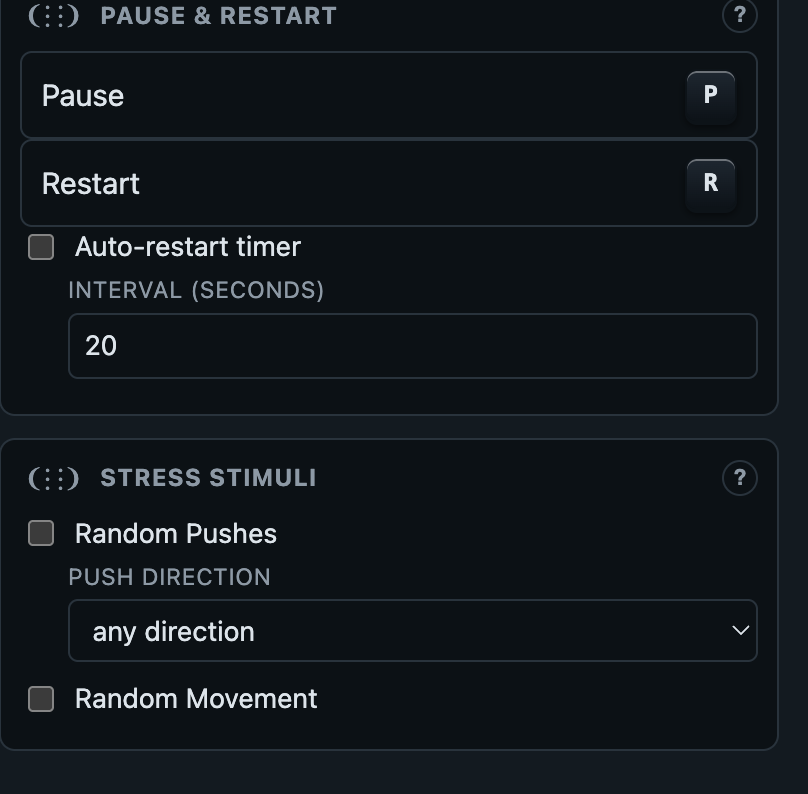
pause/resume/restart and the sim-only set_random_events RPC from §13's method table, exposed as one panel each. Stress Stimuli is exactly the domain-randomization idea from §5 (random pushes, random commands) made into something an operator can toggle live, on a policy that's already trained, to probe how it holds up outside the exact conditions it saw in training.ros2_control?ros2_control's controller_manager solves almost exactly this problem, and legubiao/quadruped_ros2_control is real prior art doing it for legged robots specifically. For a pure Python/PyTorch/Genesis project built for quick local iteration on a Mac, adopting all of ROS 2 today would add a lot of toolchain cost for the benefit — so this fork borrows the pattern (named, swappable, lifecycle-staged controllers behind an abstract hardware interface) without the dependency, and deliberately names its lifecycle states (INACTIVE/READY/ACTIVE/FAULT) to match ros2_control's own vocabulary, in case a real bridge is worth building later.
What's genuinely unfinished, honestly stated: deploy_real/real_adapter.py (the real-hardware version of this) is ported carefully against unitree_rl_gym's own deploy code — including the physical button-gated safety sequence from the plate above and the observation layout matching G1Robot.compute_observations() exactly — but is still untested on an actual robot: this fork was built with no physical G1 and no unitree_sdk2py installed. The autonomous Selector (today just a tilt-threshold rule; a learned gating network is the active research direction — see RPG and SkillBlender in the README) is left as a clearly-marked next step.
Talking to the robot: the control protocol
Every controller in §12's diagram — the web UI, an autonomous Selector, and (once --real is passed) anyone driving an actual G1 — goes through the exact same door: ControlServer (legged_gym/control/transport.py), a plain WebSocket JSON-RPC-ish endpoint at /ws. There's nothing web-UI-specific about it. Anyone who can open a WebSocket and send JSON — a phone app, a Python script reading a USB gamepad, a microcontroller with WiFi — can drive the robot with it, without touching a line of this repo's code.
rugiar_driver.py --control_port 9013 serves this exact protocol against the Genesis simulator. Add --real --net_interface eth0 --robot_config deploy_real/configs/g1.yaml (once run on the robot's onboard computer, with unitree_sdk2py installed) and the SAME server, SAME /ws endpoint, SAME message shapes now drive the physical G1 over DDS instead — see §9's RealAdapter. Nothing on the controller side has to change.
Connecting
ws://<host>:<control_port>/ws. If the server was started with --token <secret> (strongly recommended for --real — anything on the robot's WiFi/LAN can otherwise reach it), append ?token=<secret> to the URL or the connection is rejected before it opens. The web UI does exactly this by forwarding its own page's ?token=... query param — share http://<host>:<control_port>/?token=<secret> with anyone who needs either the UI or to build their own client against the same robot.
- Start the server with a token:
python legged_gym/scripts/rugiar_driver.py --policy stable:policies/stable/checkpoint.pt --control_port 9013 --token <a-shared-secret>. Omit--tokenonly for a trusted, localhost-only sim session — never for--real. - Connect to
ws://<host>:9013/ws?token=<a-shared-secret>. The handshake is rejected before it opens if the token is missing or wrong — check that first if a connection attempt fails silently. - Send a first message. Either
{"method": "status", "params": {}, "id": 1}to pull one snapshot immediately, or nothing at all — the server starts pushing unpromptedstatusmessages at ~10Hz to every open connection the instant it's connected (see "Reading telemetry," below). Most clients then just start callingset_commandon their own polling loop.
This is the same three-step handshake examples/joystick_controller.py performs — see "Build your own controller," below, for a working reference implementation of exactly this.
Sending a command
Every outgoing message is a JSON object {"method": "...", "params": {...}, "id": N}, calling one method on ControlService by name. The reply comes back as {"id": N, "result": ...} or {"id": N, "error": "..."}. The method a home-made joystick controller almost always wants:
Drive a walking velocity set_command
{"method": "set_command", "params": {"vx": 0.4, "vy": 0.0, "yaw": 0.0}, "id": 1}
// vx, vy in m/s, yaw in rad/s — clamped server-side to the exact envelope
// the active policy was trained across (out-of-range values are silently
// clamped, not rejected). Call this at whatever rate your controller polls
// (e.g. every gamepad tick) — there's no need to throttle it yourself.
The rest of the surface — every method ControlServer will dispatch:
| method | params | what it does |
|---|---|---|
status | — | one-shot snapshot of everything the ~10Hz broadcast (below) already pushes you |
set_command | vx, vy, yaw | manual walking velocity — see above |
request_switch | name | cross-fade to a different loaded policy (§12) |
pause / resume | — | hold position / resume the policy loop |
restart | — | sim: instant reset. Real: NOT instant — re-runs the zero-torque → move-to-default → hold sequence from §9, gated by the physical remote. Grayed out entirely when status().capabilities.restart is false. |
estop | — | trips SafetyGovernor and calls the adapter's own estop() — a real, immediate zero-torque DDS write on RealAdapter. Always accepted by the token check like any other method here; the true out-of-band safety mechanism on real hardware is the robot's own physical remote/kill switch, not this socket — see §9's "What if it falls?". |
set_random_events | push_robots, auto_commands, push_dir | sim-only domain-randomization stressors — no-op/absent on RealAdapter |
set_episode_timeout | seconds | sim-only timer reset — no-op/absent on RealAdapter |
set_operator_speed_limit | fraction | sim-only — caps every set_command (every client, this one included) to fraction of the trained envelope; >1.0 up to SimAdapter.OPERATOR_SPEED_LIMIT_MAX is allowed on purpose, for deliberate out-of-distribution experimentation. Absent on RealAdapter — exceeding the trained envelope against real hardware is a separate, more deliberate decision this method does not make for you. |
training_catalog, start_training, task_defaults, estimate_training_time | varies | the "Create Policy" panel's calls — see §15 |
fuse_policies | names, out_name, weights, method, export_task | merge 2+ existing policies' weights into a new one — see "Fusing policies" below |
delete_policy, rename_policy, policy_info, refresh_local_policies | varies | managing the switchable policy list |
system_info | — | host info for the web UI's footer (backend, device, etc.) |
Reading telemetry
You don't have to poll status — once connected, the server pushes {"method": "status", "result": {...}} to every open connection at ~10Hz, unprompted. The shape (trimmed):
A status push ControlService.status()
{
  "active": "stable", "pending": null, "ramping": false,
  "paused": false, "safety_tripped": false,
  "policies": ["stable", "crouch", ...],
  "backend": "real",                       // "sim" or "real" — see §9
  "capabilities": {"restart": false},      // what THIS backend can't do
  "command": {"vx": 0.4, "vy": 0.0, "yaw": 0.0},
  "telemetry": {
    "projected_gravity": {"value": [0.02, -0.01, -0.999], "unit": "g",
                           "source": "sensor", "label": "Orientation ..."},
    "base_ang_vel": {"value": [...], "unit": "rad/s", "source": "sensor", ...},
    "base_lin_vel": {"value": null, "source": "sim_ground_truth", ...}
    // null on RealAdapter — no IMU measures velocity directly, see §9
  }
}
Every telemetry field is self-describing — source tells you whether it's a real sensor reading (available on real hardware too) or simulator-only ground truth (null on RealAdapter), so a client never has to hardcode which fields are trustworthy off-simulator.
![Live Telemetry panel from the control web, showing four real fields from a running session: Base height 0.775m tagged SIM, Orientation (gravity in body frame) [-0.039, 0.033, -0.999]g tagged SENSOR, Angular velocity (gyroscope) [-0.259, 0.003, -0.381]rad/s tagged SENSOR, and Linear velocity [0.772, 0.014, 0.061]m/s tagged SIM, each with a one-line note on where the number actually comes from.](assets/widgets/live-telemetry.png)
source key above, in plain English: "not measured by any real sensor" next to base_height and base_lin_vel, "real IMU gyroscope reading — available on both sim and real hardware" next to base_ang_vel. What you read in the JSON is exactly what's shown on screen.Build your own controller
The Command panel pictured above is just one client of the protocol described in this section — a home-made joystick (a USB gamepad, a phone app, a physical box with real potentiometers, a robot-to-robot bridge) is exactly as capable a client, going through the exact same door. Nothing below is web-UI-specific.
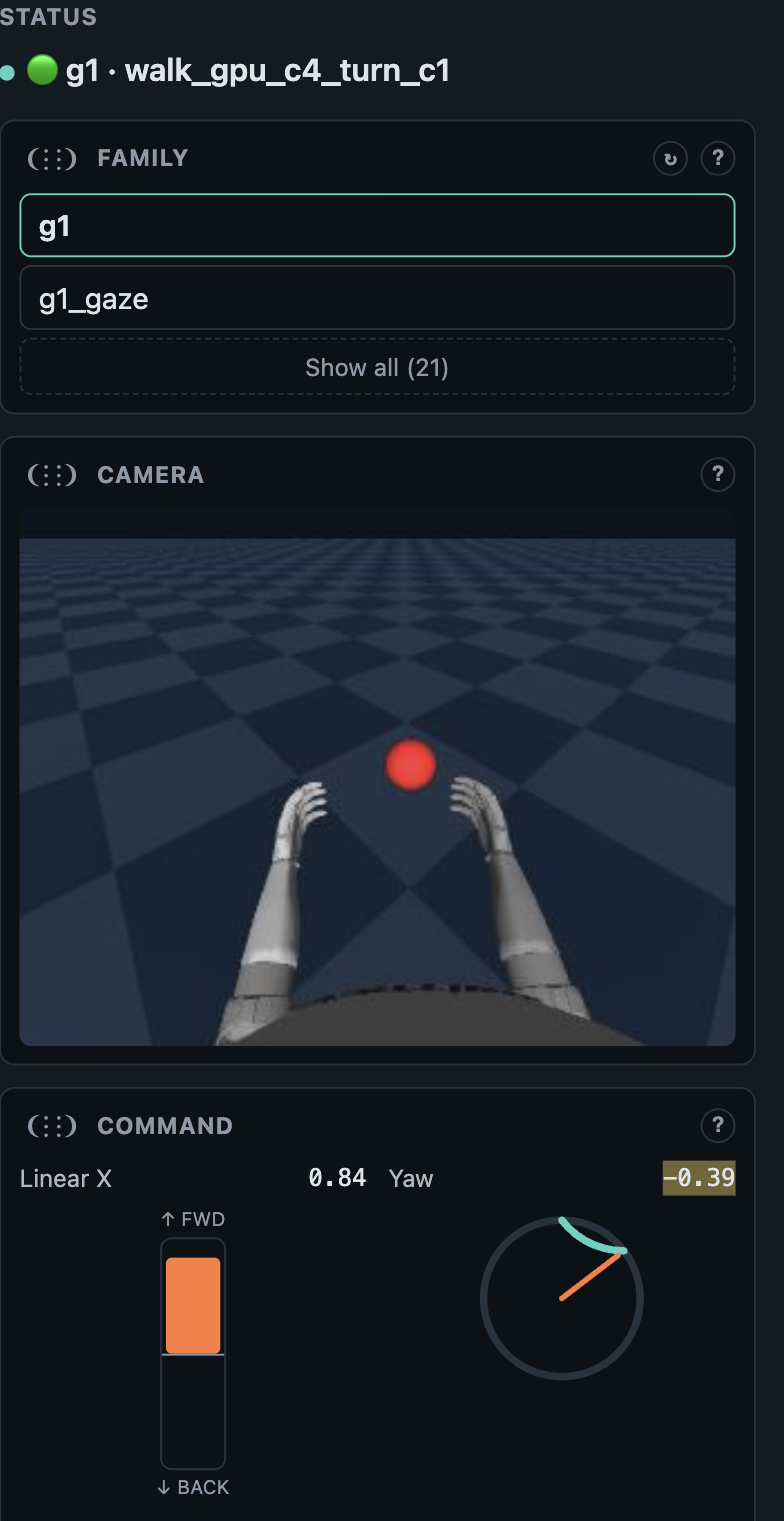
set_command calls a home-made gamepad client would, at the same clamped envelope. This session's live values (vx=0.84, yaw=-0.39) are a real robot mid-walk, mid-turn — next to it, the Family panel (switches which registered task/driver is running — see the rugiar skill's "Family panel" section) and a live robot-POV Camera feed.The reference implementation
examples/joystick_controller.py is a complete, working client — connects, authenticates with a token, reads a USB gamepad via pygame, and streams set_command at a fixed rate (--hz, default matches the control loop). Run it with no gamepad at all via --demo to prove the connection works before wiring up hardware — it drives a scripted forward/turn loop instead. It's deliberately short and dependency-light: Python's standard websockets library, nothing else required for --demo. The protocol itself is just JSON text frames over a plain WebSocket — any language with a WebSocket client (JavaScript, C++, an ESP32's Arduino stack, Unity, whatever a phone app is built in) speaks it identically.
| what your controller needs to send | message | notes |
|---|---|---|
| a steady velocity stream | set_command (vx, vy, yaw) | call this at whatever rate your input device polls — a gamepad stick, a physical joystick's ADC read, touchscreen drag deltas. No client-side throttling needed, the server clamps and doesn't mind being called often. |
| discrete button presses | request_switch, pause/resume, restart, estop | one-shot, sent once per press — not repeated while held. examples/joystick_controller.py's button map (A=ESTOP, B=pause/resume, X=restart, bumpers=cycle policy) is a reasonable default layout to copy for a physical build; remap freely, nothing about the protocol assumes that layout. |
| (optional) what to show the operator | listen for the unprompted status push (~10Hz) | drive an LED, a small screen, haptic feedback — backend tells you sim vs. real, safety_tripped is worth surfacing loudly on any physical build. |
set_command's clamped envelope and the same estop/pause every other client shares — it can't ask the policy to do anything outside what it was trained across, and it can't bypass the physical remote-gated startup sequence in §9. Still, treat a first connection to real hardware the same as a first --headless run: harness-suspended, one person on the physical remote the whole time, nobody trusting a new client's output blind.
Fusing policies
fuse_policies (legged_gym/control/service.py) merges 2+ already-trained local policies' weights into a new one — no further training involved, runs synchronously (seconds, not minutes), and the result is registered exactly like a normally-trained policy: its own policies/<name>/ with checkpoint.pt + train_checkpoint.pt + meta.json, fine-tunable via Clone-from and fusable again. Exposed three ways that all go through the same TrainingManager.fuse_policies() (legged_gym/control/training.py): the control web's "⚛ Fuse policies…" panel (right under "+ New policy…"), the rugiar fuse CLI, and this RPC directly for a custom client.
Merge two policies, weighted 3:1 fuse_policies
{"method": "fuse_policies", "params": {
  "names": ["stable_home_made_3", "stable_home_made_4"],
  "out_name": "blended", "weights": [3, 1], "method": "weighted_average"
}, "id": 7}
// weights are normalized to sum to 1 server-side — raw ratios are fine.
// export_task is optional (default: the first source's task) — only
// matters when the sources span more than one task.
Sources must be architecturally compatible — same obs/action dims, hidden dims, and recurrent-or-not (checked by inferring the network shape straight from each source's train_checkpoint.pt tensor shapes, no live env needed). A mismatched task label across sources is only a warning in the response's warnings list, not a hard stop — two different tasks can share an identical network shape and still be worth trying to merge.
The default method is weighted_average — an elementwise weighted sum of matching weights (a.k.a. model soup / SWA-style interpolation). It's cheap and works reasonably well for closely related checkpoints (a fine-tune lineage, or same-seed variants). It has no guarantee for independently-trained policies, though: two networks trained from different random initializations can converge to functionally-equivalent but internally permuted representations — hidden unit i in one network doesn't necessarily correspond to hidden unit i in the other — and naively averaging permuted weights typically lands in a poor region of the loss landscape between the two minima rather than a good one near either (the "mode connectivity" / permutation-symmetry problem).
"git_rebasin" in legged_gym/control/fusion.py's FUSION_METHODS registry (rebasin_align(), a permutation-alignment pass inserted before fusion.merge_state_dicts()). Pass "method": "git_rebasin" in the same fuse_policies call above. Works for both plain and recurrent (LSTM/GRU) actor/critic policies — an RNN's own per-gate hidden-unit permutation symmetry is aligned too, chained into the downstream MLP's own alignment.
Working as a team
This fork is developed by a small team split across Mac, Linux, and Windows, with occasional access to a much more powerful (sometimes remote) GPU machine for training. None of what follows is a hard rule — Genesis itself runs identically (just slower) on a GPU-less laptop as it does on a workstation, and Docker erases most of the remaining OS differences — but it's worth being explicit about where each platform is genuinely more comfortable, so people default to the path of least friction instead of fighting their own machine.
Watch a checkpoint before trusting it
A real mistake from this fork's own history: a training run's reward curves looked reasonable enough to plan around, but the policy was actually falling roughly once a second — the reward-curve summary just didn't make that obvious. The fix that should have happened earlier: look at it, not just the numbers, before committing more time to it.
Review any single checkpoint, live, in the browser legged_gym/scripts/play.py
python legged_gym/scripts/play.py --task=g1_crouch --cpu --num_envs=1 \
    --load_run=<run_name> --ckpt=200 \
    --viewer=viser --viser_port=9006
# open http://localhost:9006 — omit --ckpt for the latest checkpoint in that run.
# Genesis's own native window has a rendering bug on this Mac/asset combination,
# so --viewer=viser (a web view) is what actually works, same as the swap demo.play.py run — including one just for reviewing a checkpoint — overwrites that run's exported/ folder with whatever --ckpt you just loaded. If you're comparing several iterations and want to keep one, copy its exported .pt/.onnx out (to checkpoints/ or policies/) before reviewing a different one, or the next review silently clobbers it.
Docker, kept current
The Docker Compose setup this whole demo runs on — Dockerfile, docker-compose.yml, docker-entrypoint.sh's auto-discovery of every checkpoint in ./policies/, and working CUDA passthrough — was contributed by Ramiro R. C. (RawthiL), not the original author: real evidence the "everyone adds what they can" model below is already working, not just an aspiration. See the root README's Docker Compose section for the full up-to-date instructions (GPU overlay, environment variables, what gets mounted) — it's kept current as the control stack grows, most recently to auto-discover .onnx checkpoints (community releases that only ship ONNX) exactly like .pt ones.
Who's comfortable where
| Mac (this machine) | The reference platform for developing the codebase itself — this is where legged_gym/control/, the web UI, and every policy in this write-up were actually built and debugged, CPU-only, no CUDA. Stays the priority platform for anyone touching the architecture, not just because it's the original author's machine, but because it's the most exercised path. |
| Linux + NVIDIA GPU | The natural home for real training runs — GENESIS_BACKEND=cuda (native or via docker-compose.gpu.yml) turns a CPU-only multi-hour run into minutes. Whoever has GPU access is best positioned to own longer/harder training (full gaits, curricula, anything a Mac would take too long on), then export and share the checkpoint — see the root README's team-workflow section. |
| Windows | Via Docker Desktop + WSL2, identical to the other two — the control web UI is just a browser tab, no native windowing involved. A comfortable seat for reviewing/switching policies, driving the control demo, and contributing to the web/control-service code without building a native Python+Genesis environment at all. |
Training a stable policy
The reward curve climbed, crashed, climbed again, crashed again. Is the entropy too high?
Usually no — and this section exists because that question comes up naturally the first time anyone stares at a real training curve. Two completely different problems both look like "the curve is going up and down," and telling them apart is the single most useful diagnostic skill for anyone using the Create Policy panel (§12). Everything below is grounded in two things: this fork's own training history (real logs, real numbers, no hypotheticals) and what the wider legged-locomotion RL community — ETH Zürich's legged_gym, Unitree's own unitree_rl_gym, and a few research papers — has already learned the hard way, cited as we go.
Skip straight to a running training job — everything below this box is how to read the result once you have one. Every command here is the real rugiar CLI (legged_gym/cli/rugiar.py), a thin front end onto the same TrainingManager the control web's Create Policy panel uses (§16) — nothing here is simplified or hypothetical.
0. One-time setup, every new shell
export SIMULATOR=genesis   # every rugiar command refuses to import without this set
rugiar train --list_tasks  # sanity check — should print g1, go2, g1_crouch, ...
1. Train from scratch
rugiar train --task g1 --name my_first_walk --max_minutes 15 --push_robots offTime-boxed by --max_minutes rather than a fixed iteration count, so it's safe to run on a laptop without knowing in advance how many PPO iterations fit — Ctrl-C at any point leaves nothing registered (safe to interrupt, no half-written policy).
2. Fine-tune an existing local policy
rugiar train --list_policies                       # what's already local & fine-tunable?
rugiar train --task g1 --name my_first_walk_v2 \
    --from_policy my_first_walk --max_iterations 500
--from_policy resumes from that policy's own train_checkpoint.pt — same weights, same optimizer state — rather than starting over. This is exactly the "one lesson at a time" pattern the rest of §15 argues for: change one knob (a --reward_scale, a --cmd_vx_range) relative to the checkpoint you're resuming from, not several at once.
3. Where to check progress
- While it's running:
rugiarstreams the live training log to the terminal — watch mean reward, mean episode length, and action noise std scroll by every iteration (see "The three vitals," right below). - The control web's Create Policy panel shows the exact same three numbers as live-updating result tiles, if a job was launched from the browser instead — same underlying
TrainingManager, so a job started from either door shows up in the other. - Once you have any checkpoint: watch it, don't just read the numbers —
python legged_gym/scripts/play.py --task=g1 --load_run=<run_name> --ckpt=<N> --viewer=viser --viser_port=9006, then openhttp://localhost:9006. A good-looking reward curve is not proof a policy walks — see "Watch a checkpoint before trusting it" in §14, and the anti-patterns list at the end of this section.
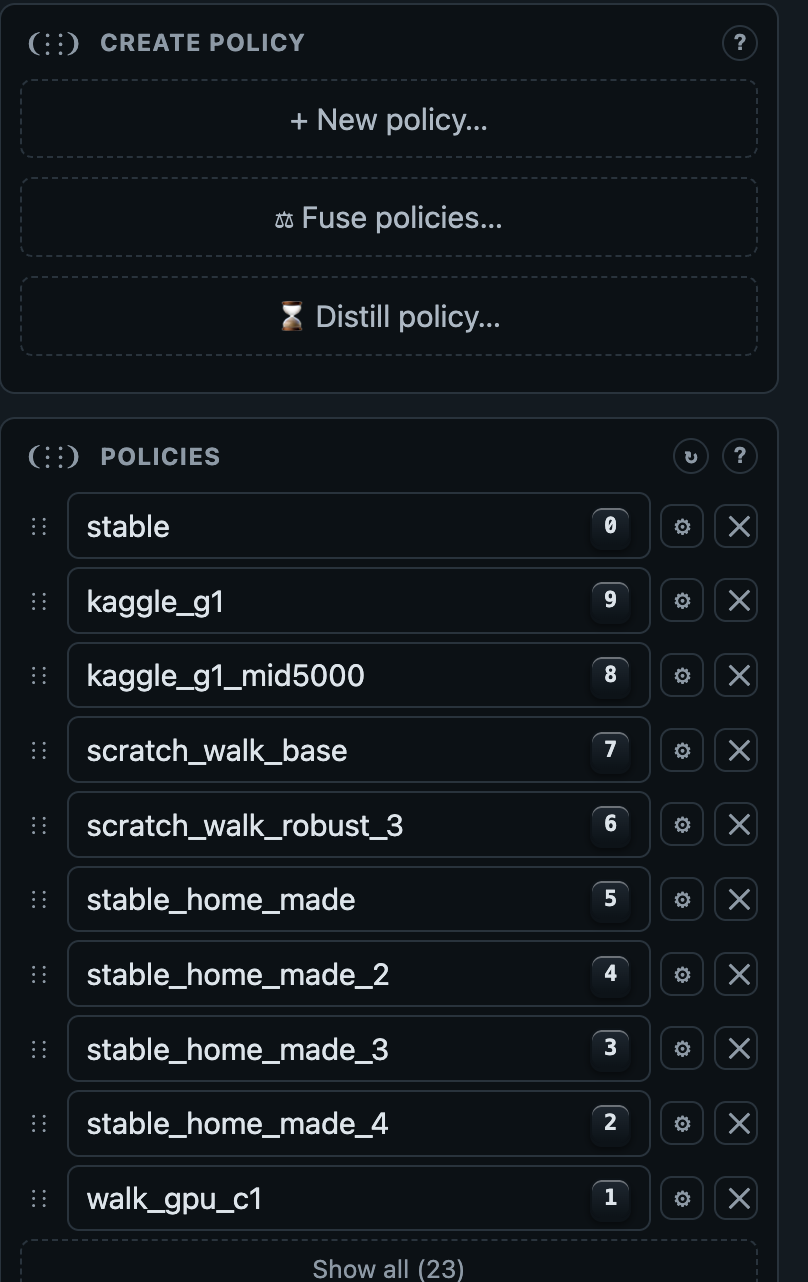
rugiar train's flags map onto (command envelope, push disturbances, reward weights) without composing a command by hand.The three vitals, every run
The Create Policy panel's result tiles (EPISODE LENGTH / MEAN REWARD / ACTION NOISE STD) are the same three numbers rsl_rl prints every iteration. Read them in this order — noise std tells you whether the other two are trustworthy at all:
| Vital | What it is | What "good" looks like |
|---|---|---|
| Action noise std | How wide the policy's action distribution still is (§5's self.std) — how much it's still "exploring" vs. committing to one behavior. | Trends down over the run, or stays flat once it's already low. Should never climb for more than a few iterations in a row. |
| Mean episode length | How many of the episode's 1000 possible steps (20s at 50Hz) the robot survives on average before falling/timing out. | Rising over the run. This is the metric that most directly answers "is it actually more stable," not just "is the reward number bigger." |
| Mean reward | The per-step score PPO is optimizing, averaged per episode. | Rising — but read it together with episode length. A run can raise mean reward while episode length stays flat, if the reward per surviving step went up without the robot surviving any longer (see HANDOFF_stability_curriculum.md's open problem §6 — exactly this happened once in this fork's own history). |
Two patterns that both look "erratic" — but aren't the same problem
Side by side, from two real runs in this fork's own logs:
HANDOFF_stability_curriculum.md §1 (this fork's own crouch job, logs/_web_training/f3d2d365.log).stable_home_made_4, logs/_web_training/c4b21ddb.log.− entropy_coef × entropy, §5) has no ceiling and no decay anywhere in this codebase. With a weak reward gradient, that bonus can out-compete the actual task reward and keep pushing self.std up instead of letting it shrink — the policy gets more random the longer it trains, not less. Fix: lower --entropy_coef (this fork's default risk case used the task default 0.01; dropping to 0.002–0.001 stopped the runaway in later curriculum steps).
clip_param + the adaptive learning-rate schedule reacting to KL divergence, both from §5) only reacts after a bad update already landed — it can't undo one already taken. Feed the policy a batch of experience from a situation it wasn't ready for (too wide a velocity command it's never handled, a push it can't yet recover from) often enough, and it periodically gets bounced into a worse region of behavior, then has to relearn its way back out — climb, crash, climb, crash. Fix: narrow whatever knob just got widened, not the entropy coefficient — see "one lesson at a time" below.
Diagnose your own run
| What you see | Likely cause | What to change |
|---|---|---|
| Noise std climbs steadily, never dips, for the whole run | Entropy runaway (Pattern A) | Lower --entropy_coef |
| Noise std is flat/falling; reward & episode length climb-then-crash repeatedly | Policy collapse & recovery (Pattern B) — usually a knob was widened too far for one fine-tuning step | Narrow the command range, push severity, or target you just changed; re-run from the same checkpoint |
| Reward climbs steadily but episode length stays flat | The policy found a way to score well without surviving longer — a per-step reward term is dominating over the survival incentive | Check the per-term reward breakdown in the log; consider raising --reward_scale alive <value> relative to the others |
| Everything looks fine in the numbers, but the robot looks wrong live | The reward-curve summary doesn't capture everything — a real past mistake in this fork (§13) | play.py --viewer=viser and actually watch it before trusting a checkpoint |
How much is a lot? — sourced numbers for G1
"Widen the command range" and "turn on push disturbances" are directions, not destinations — here's what the same robot family actually uses, with sources, so a value on the Create Policy panel means something before you type it in.
| Knob | Unitree's own G1 default | Generic legged_gym default (ANYmal-derived) | Notes |
|---|---|---|---|
--cmd_vx_range | -1 → 1 m/s | -1 → 1 m/s | G1's own config doesn't override the base class here — it inherits the generic range. A run in this fork used -2 2, double Unitree's own default — a deliberate stretch, not "normal." |
--cmd_vy_range | -1 → 1 m/s | -1 → 1 m/s | — |
--cmd_yaw_range | -1 → 1 rad/s | -1 → 1 rad/s | — |
--push_interval_s | 5 s | 15 s | Unitree pushes G1 3× more often than the generic quadruped default — a biped needs more disturbance practice, not less, to learn genuine balance recovery. |
--max_push_vel_xy | 1.5 m/s | 1.0 m/s | Also higher than the generic default, for the same reason. |
--base_height_target | 0.78 m | task-specific | A run in this fork fine-tuned at 0.75 — 3cm lower than Unitree's own standing default. Not wrong, but if the base checkpoint already stands at 0.78, that's one more thing changing at once (see below). |
g1_config.py, unitreerobotics/unitree_rl_gym. Source for the generic column: legged_robot_config.py, leggedrobotics/legged_gym (ETH Zürich Robotic Systems Lab — the original ANYmal-quadruped framework this whole family forked from, see §18).One lesson at a time
The stable_home_made_3/stable_home_made_4 run above changed three things at once relative to its base checkpoint: doubled the vx command range past Unitree's own default, turned pushes on, and moved the height target 3cm off the checkpoint's own standing height. Any one of those alone is a reasonable next step; all three together is a hard, unfamiliar situation dropped on the policy in one go — and Pattern B above is what that looks like in the logs.
This mirrors what the wider community already does, not just a house rule: Rudin, Hoeller, Reist & Hutter, "Learning to Walk in Minutes" (CoRL 2022) — the paper behind this whole legged_gym lineage — trains with a curriculum that only raises difficulty once the policy has demonstrated it can handle the current level, rather than presenting the hardest case from step one. Concretely, for the Create Policy panel, that means:
- Change one of {command envelope, push disturbances, target variable} per fine-tuning step, not several.
- Widen a range gradually (e.g.
-1 1→-1.5 1.5→-2 2across separate runs), not in one jump — same principle as terrain-difficulty curricula in the source paper above. - Don't turn on
--push_robotsuntil the policy is already stable without it (rising episode length, flat-or-falling noise std) — confirmed as the right order in this fork's ownHANDOFF_stability_curriculum.md§5 plan, even though Unitree's own G1 config trains with pushes on from iteration zero (§ above) — the two aren't contradictory: Unitree is training from scratch with a full 10,000-iteration budget where early instability has time to resolve itself; a short fine-tuning step from an already-stable checkpoint has much less room to recover from a fresh disturbance introduced at the same moment as other changes. - Domain randomization itself is worth keeping, though — Kumar, Fu, Pathak & Malik, "RMA: Rapid Motor Adaptation" (RSS 2021) found it measurably improves real-robot robustness (varied friction, mass, pushes) compared to a policy trained without it — the "one knob at a time" advice is about sequencing changes during fine-tuning, not about avoiding randomization altogether.
Example — the aggressive version vs. a curriculum-respecting version web_train.py
# What was actually run — 3 knobs moved at once from stable_home_made_2:
python legged_gym/scripts/web_train.py --task g1 --name stable_home_made_3 \
  --from_checkpoint <stable_home_made_2 checkpoint> \
  --cmd_vx_range -2 2 --cmd_vy_range -1 1 --cmd_yaw_range -1 1 \
  --base_height_target 0.750 --push_robots on --max_minutes 20

# A curriculum-respecting next step from the SAME checkpoint — only the
# command range moves, and only halfway to the eventual target:
python legged_gym/scripts/web_train.py --task g1 --name stable_home_made_2b \
  --from_checkpoint <stable_home_made_2 checkpoint> \
  --cmd_vx_range -1.5 1.5 --cmd_vy_range -1 1 --cmd_yaw_range -1 1 \
  --push_robots off --max_minutes 20
# then, only once THAT one's episode length is rising and noise std is flat/falling:
python legged_gym/scripts/web_train.py --task g1 --name stable_home_made_2c \
  --from_checkpoint <stable_home_made_2b checkpoint> \
  --cmd_vx_range -2 2 --push_robots on --max_push_vel_xy 1.0 --max_minutes 20
Reward weights, if the guided fields don't cover it
The Create Policy panel's guided fields (command envelope, target variable, push disturbances, exploration noise) cover the knobs most fine-tuning steps need. The "Reward weights (advanced)" grid underneath is the raw fallback — every --reward_scale <name> <value> this task's reward function defines, unexplained unless a term has its own note. These are the community's own starting points, not something to invent from scratch:
| Term | Default scale | What it rewards/penalizes |
|---|---|---|
| tracking_lin_vel | 1.0 | Matching the commanded forward/lateral speed — usually the single largest positive term. |
| tracking_ang_vel | 0.5 | Matching the commanded yaw rate. |
| lin_vel_z | -2.0 | Penalizes vertical bobbing — a large negative weight because bobbing is easy for PPO to fall into and hard to un-learn once rewarded. |
| ang_vel_xy | -0.05 | Penalizes roll/pitch wobble. |
| action_rate | -0.01 | Penalizes large tick-to-tick action changes — the main lever against visible jitter/tremor. Raise the magnitude (e.g. -0.02) first if a policy looks "twitchy." |
| torques | -0.00001 | Penalizes actuator effort — tiny weight, mostly a tie-breaker among similarly-rewarded gaits. |
| dof_acc | -2.5e-7 | Penalizes joint jerk — same "tie-breaker, not primary driver" role as torques. |
| collision | -1.0 | Penalizes non-foot contact with the ground/itself. |
legged_robot_config.py, leggedrobotics/legged_gym. A positive scale rewards more of that term, negative penalizes it — magnitude is only meaningful relative to the other terms in the same task, never as an absolute number.Anti-patterns worth naming
- Reading "curve goes up and down" as one thing. It's at least two, with opposite fixes (above) — check noise std first, always, before touching
--entropy_coef. - Raising push severity before the policy is stable without pushes. Confirmed the hard way in this fork's own history (
HANDOFF_stability_curriculum.md). - Changing several fine-tuning knobs in the same run and reading the result as one lesson. When it goes wrong, there's no way to tell which change caused it — see "one lesson at a time" above.
- Trusting the reward-curve summary alone. A real past mistake in this fork (§13): reward curves looked fine while the policy fell roughly once a second. Watch a checkpoint live before committing more training time to it.
The toolkit: rugiar CLI, rugiar_mcp, the Claude Code skill, and the control web
Everything in §11–§15 — training, fine-tuning, fusing, switching policies live, driving a real robot — is one engine (TrainingManager / ControlService, §13) reachable through four doors that all stay in sync by construction, not by hand-maintained duplication: a terminal command, an MCP server for AI agents, an AI coding assistant that already knows this system, and a browser tab.
rugiar — the command line
legged_gym/cli/rugiar.py is a thin wrapper that turns argv straight into the same keyword arguments TrainingManager already accepts — nothing about how a policy gets built, fine-tuned, or fused lives twice, so the CLI's flags and the control web's form fields can't drift apart. It never imports ControlService/the driver at all — the cleanest boundary in the repo: this door only ever reaches training, never a live robot session. Same command shape for a Genesis locomotion task and an mjlab motion-tracking one — TrainingManager's backend registry (see the mjlab aside in §11) picks the right interpreter/entrypoint per task, transparently:
Train, fuse, and manage the local catalog — all from a terminal rugiar
# train from scratch, stop after 15 minutes
rugiar train --task g1 --name crouch --max_minutes 15 --base_height_target 0.45

# fine-tune an existing local policy
rugiar train --task g1 --name crouch_v2 --from_policy crouch --max_iterations 500

# an mjlab motion-tracking task — same shape, plus a required reference clip
rugiar train --task Rugiar-G1-Mimic --name mimic_dance --max_iterations 3000 \
    --motion_file resources/reference_motion/unitree_g1/mjlab_run/dance1_subject2.npz

# merge two already-trained policies' weights into a new one (§13's Fuse policies)
rugiar fuse --policies stable_home_made_3 stable_home_made_4 --name blended

# discover what's available before committing to any of the above — works for
# mjlab tasks too, even run from the Genesis venv (a one-shot probe into
# .venv-mjlab fills in real data when this process can't import mjlab itself)
rugiar train --list_tasks
rugiar train --list_motions --task Rugiar-G1-Mimic
rugiar train --list_policies
rugiar fuse --list_fusion_methods
rugiar order --show   # the display order a downstream control layer offers policies in
The live, authoritative reference for every flag is always rugiar <subcommand> --help — see the rugiar skill below for a maintained snapshot, and the root README for the full quick-start.
rugiar_mcp — talking to a live robot from an AI agent
Where the CLI only ever reaches training, rugiar_mcp is the exact mirror image: an MCP server exposing a running session — rugiar_driver.py, already up and driving a robot — as tools any MCP-speaking agent can call, over the identical WebSocket JSON-RPC protocol the control web and examples/joystick_controller.py already speak (§13) — no new wire format, no second implementation of "how to talk to a robot" to keep in sync.
| Tool | What it does |
|---|---|
list_policies | every loaded policy, and which one is active |
switch_policy(name) | request a live switch — same cross-fade path as §12, whoever's asking |
set_velocity(vx, vy, yaw, accel?) | drive a velocity command, optionally ramped smoothly instead of a step change |
get_status / get_telemetry | the same status push §13 documents, or just the sensor-like fields |
get_odometry | cumulative distance/time since the last reset — "how far have I gone" for an LLM without it having to integrate velocity itself |
get_command_limits | the trained velocity envelope and the current operator speed cap, so an agent doesn't have to guess a safe command |
get_camera_frame_base64 | one JPEG frame off the robot-POV camera feed, base64, cached 100ms |
train / fuse / distill — offline, no live session neededControlService
policy switch / velocity / telemetry — needs a running session
rugiar_mcp today. The control web is the one door that reaches both (it drives Control live, and Control forwards Create-Policy's training RPCs through to Training) — CLI and MCP don't overlap with each other, they split the same engine along the exact same "offline build" vs. "live operate" line the rest of this repo draws everywhere else.rugiar_mcp is a real, working prototype — built and proven against this same control protocol — currently on its own branch (mcp-base), not yet merged/kept current with the mjlab work in §11. Merging it, and deciding whether it should eventually gain training tools too (the path already exists — Control already forwards those RPCs for the web UI, see above), is open work, not a finished door yet.
The rugiar skill
.claude/skills/rugiar/SKILL.md is a packaged set of instructions Claude Code loads automatically whenever a conversation touches training, fusing, or driving a robot in this repo — the assistant doesn't have to be re-taught this system's gotchas every session. It captures things a plain --help output can't: that reward/episode-length numbers alone don't prove a policy walks (a real past mistake here, see §13), the exact recipe for training a crouched-but-mobile policy without it turning wobbly, how to set up Kaggle cloud training, the fusion methods (weighted average and Git Re-Basin, and which policies each one supports), and the full WebSocket control protocol for anyone building a custom client. Kept next to the code it documents, in the same repo, so it's expected to be updated alongside a feature rather than drifting into stale advice.
The control web
The browser door — rugiar_driver.py --control_port 9013 serves it at http://localhost:9013, backed by the exact same ControlService the CLI and the WebSocket protocol (§13) talk to. A live screenshot from this fork's own development instance:
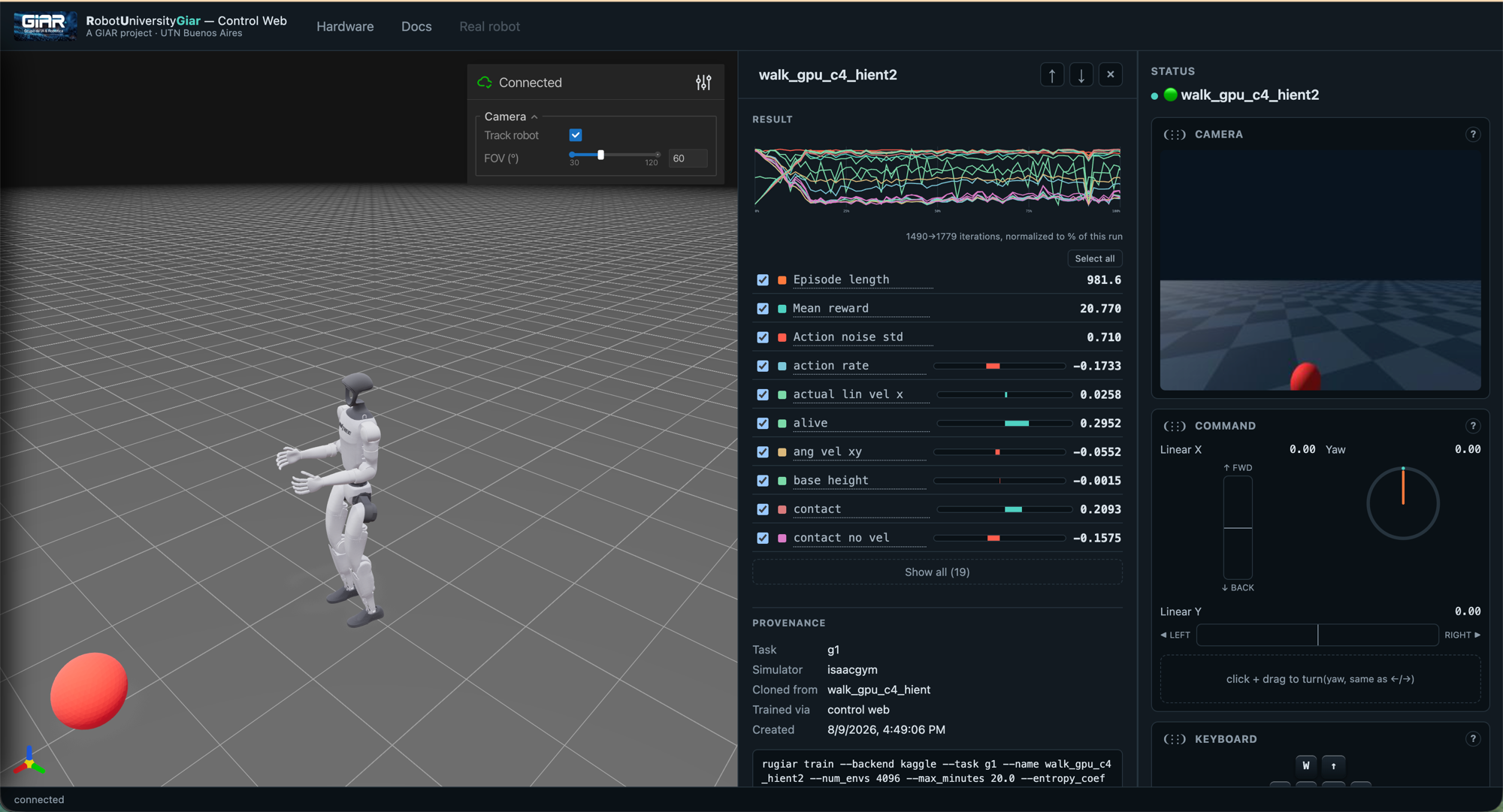
walk_gpu_c4_hient2, open mid-session — the same PROVENANCE block policy_info() (§13's fuse_policies neighbor in the RPC table) hands back for any local policy: which task and simulator trained it, what it was cloned from, and the literal rugiar train command that reproduces it. Nothing about how a policy came to exist is hidden behind this panel.Everything else in this page's earlier sections is a panel here too: policy switching with cross-fade (§12), pause/restart/E-STOP and manual velocity commands, live telemetry tagged by whether each field is a real sensor reading or simulator-only ground truth (§13), stress stimuli (random pushes/commands) for probing robustness, Create Policy for training/fine-tuning without hand-composing a command (§15), and — the newest addition — Fuse policies (§13), right under "+ New policy…", proposing every fusion method this build knows about — weighted average and Git Re-Basin are both selectable today, working for plain and recurrent policies alike, so the tradeoff between them is discoverable in the UI itself, not just in a code comment.
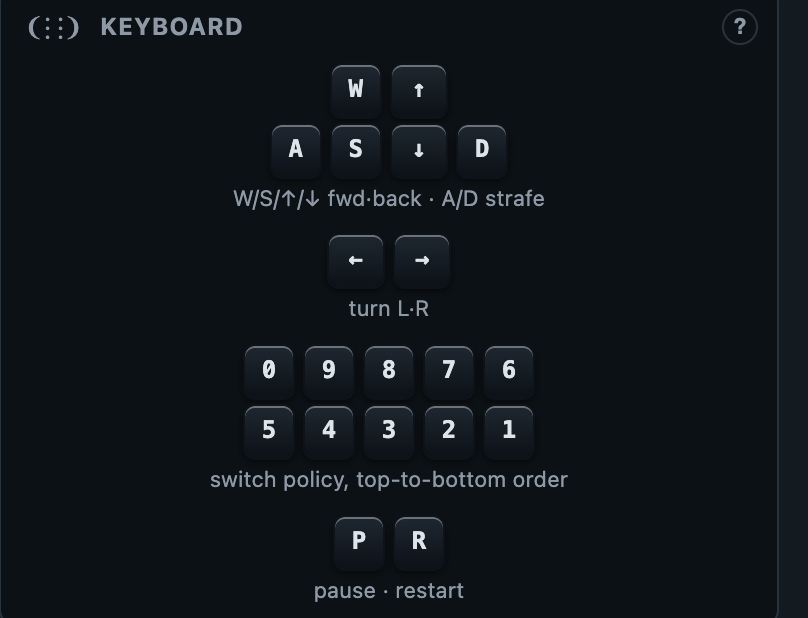
set_command envelope §13 describes for any client, and the number-row shortcuts (0–9) map directly onto request_switch against the Policies list's own top-to-bottom order (below), so a whole session can be driven without touching the mouse.The Create Policy panel itself — New policy / Fuse / Distill, and the Policies list they all write into — is pictured in §15's Quick start, right where the same three actions are given as rugiar commands.
Glossary
| Term | Meaning |
|---|---|
| DOF | Degree of Freedom — one independently-actuated joint axis. §1 |
| Quasi-direct-drive | A low-gear-ratio actuator mounted at the joint; stays back-drivable (can yield to external force) instead of rigid. §2 |
| Decimation | How many fast physics/PD steps happen per one (slower) policy inference step. §3 |
| PD control | Proportional-Derivative control: torque = Kp×(target − current) − Kd×(velocity). §4 |
| Kp / stiffness | The proportional gain — how hard the joint pulls toward its target. §4 |
| Kd / damping | The derivative gain — resists current velocity, prevents overshoot/oscillation. §4 |
| URDF | Unified Robot Description Format — XML file defining a robot's links, joints, and physical limits. Used by Isaac Gym. §4 |
| MJCF | MuJoCo XML Configuration Format — MuJoCo's own XML robot-description format. §11 |
| Observation / Action | What the policy senses each tick, and what it outputs (target joint offsets). §5 |
| Reward | The per-tick score the policy is trained to maximize. §7 |
| PPO | Proximal Policy Optimization — the RL algorithm used to train the policy, in small careful steps. §5 |
| LSTM | Long Short-Term Memory — a recurrent network that carries a hidden state between ticks, giving the policy a short memory instead of reacting to a single instant. §5 |
| GAE | Generalized Advantage Estimation — how PPO estimates "how much better than average was this action," trading off bias and variance via λ. §5 |
| Actor-critic | Two networks during training: the actor (kept, becomes the policy) and the critic (discarded, only helps training). §5 |
| Privileged observation | Extra ground-truth info fed only to the critic — things the real robot can't sense directly. §5 |
| Domain randomization | Randomizing physics (friction, mass, pushes) across the training population so the policy generalizes to the real robot. §5 |
| Isaac Gym | NVIDIA's GPU-parallel physics simulator. The original unitree_rl_gym trains exclusively on it; this fork uses it only for Kaggle cloud jobs (local jobs use Genesis instead). §11 |
| Sim2Sim | Re-running a trained policy in a second simulator (MuJoCo) as a sanity check. §11 |
| Sim2Real | Deploying a simulator-trained policy onto the physical robot. §9 |
| TorchScript | A frozen, portable export of a trained PyTorch network, runnable without the training stack. §6 |
| Gait-phase clock | A sin/cos signal marking where in the stride cycle each leg currently is. §8 |
| IMU | Inertial Measurement Unit — gyroscope + accelerometer, gives orientation and angular velocity. §9 |
| DDS | Data Distribution Service — the pub/sub network protocol used to talk to the real robot. §9 |
| Genesis | A physics simulator that (unlike Isaac Gym) also targets Apple Silicon via a Metal backend — what every LOCAL job in this fork trains on (Kaggle jobs use Isaac Gym instead — see §11). §11 |
| Viser | A Python library serving an interactive 3D scene to a browser over WebSockets — the viewer used in this fork wherever Genesis's own native window doesn't work, and the only viewer a headless Kaggle job could use at all (though Kaggle jobs run with no viewer, since nothing's watching). Not a simulator — just how a running scene gets drawn. §11 |
| Kaggle | The free-tier cloud GPU backend Create Policy can train on instead of this machine — always via Isaac Gym, never Genesis (see §11 for why), because Kaggle's free-tier P100 lacks the hardware feature Genesis's GPU backend needs. §11 |
| RobotAdapter | The one interface separating "how do I talk to this specific robot" from everything else — SimAdapter (Genesis) and RealAdapter (real G1) both implement it. §12 |
| PolicySupervisor | Owns the loaded policies and performs the actual switch, cross-fading the output action instead of cutting hard. §12 |
| SafetyGovernor | The one place that decides "is this instant safe to act on a pending policy switch." §12 |
| Selector | Proposes autonomous policy switches (a simple tilt-threshold rule today; a learned gating network is the researched next step). §12 |
| Cross-fade / ramp | Blending the outgoing and incoming policy's actions linearly over several ticks on a switch, instead of jumping the target instantly. §12 |
| Lifecycle (INACTIVE/READY/ACTIVE/FAULT) | The state vocabulary an adapter reports, borrowed on purpose from ROS 2's ros2_control naming. §12 |
| Entropy runaway | Action noise std climbing monotonically the whole run instead of shrinking — the entropy bonus out-competing a weak reward gradient. §14 |
| Policy collapse & recovery | Reward/episode length climbing then crashing abruptly, repeatedly — a too-large policy update knocking the policy into a worse region it has to relearn its way out of. §14 |
| Command envelope | The velocity command range (lin_vel_x/y, ang_vel_yaw) sampled randomly during training — widening it trains a more general policy, narrowing it trains a specialized one. §14 |
Credits & license
unitree_rl_gym is released under the BSD 3-Clause license and builds on several open projects: legged_gym (ETH Zürich Robotic Systems Lab) for the training environment, rsl_rl (also ETH Zürich) for the PPO implementation, MuJoCo (Google DeepMind) for sim2sim, and unitree_sdk2_python (Unitree Robotics) for real-hardware communication. This fork additionally builds on LeggedGym-Ex (the Genesis/Isaac Sim port) and Genesis itself. See the repo's root README for the full architecture write-up and setup instructions.